
Collect every CDL, DOT med card, and COI before the first payment
Wingspan collects driver documents, checks each W-9 and TIN, pays the trips your team approves, and files 1099s for carriers and drive-away companies that work with owner-operators, lease operators, and 1099 drivers.

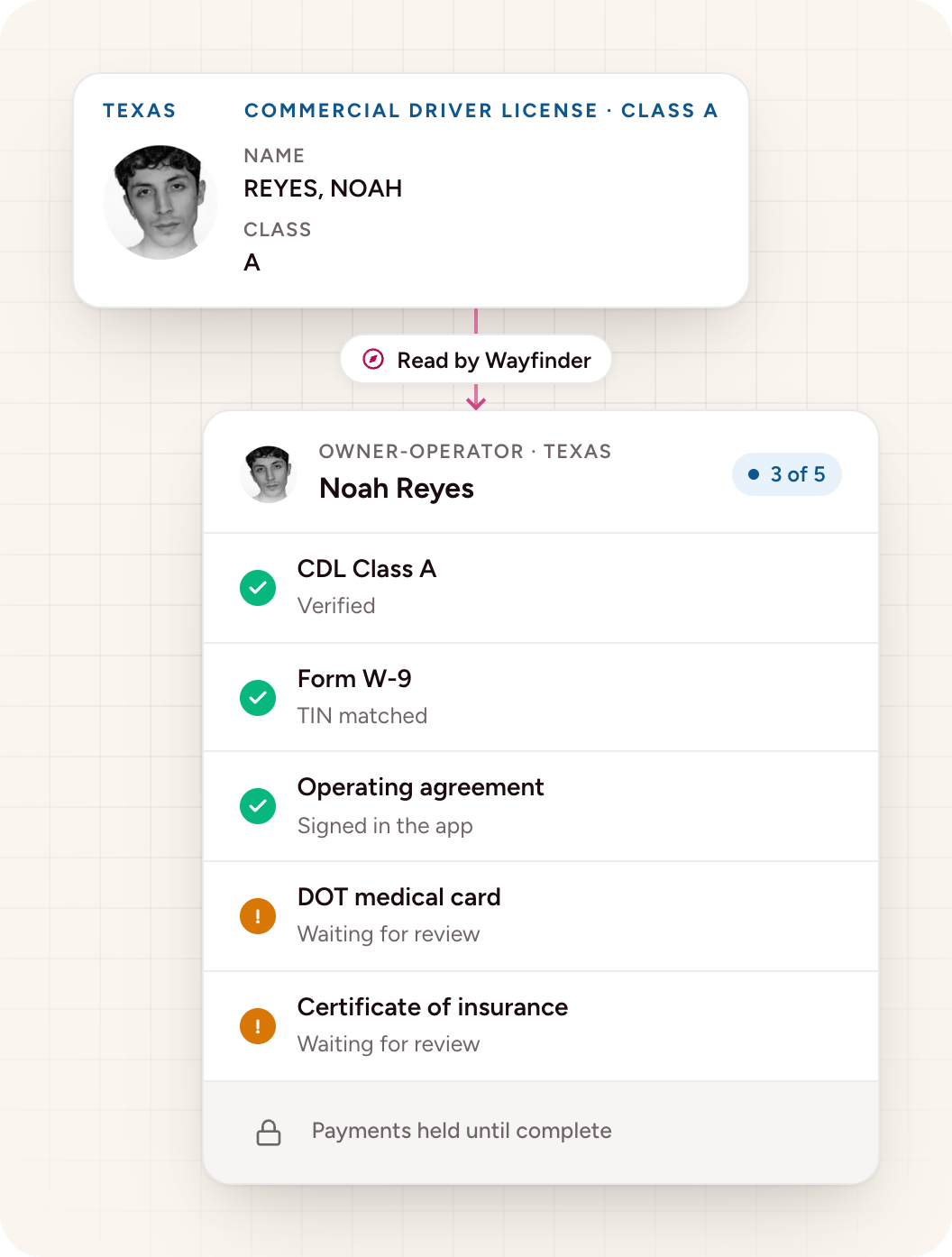
Every driver type gets one onboarding flow on their phone, instead of documents sent by text and email.
Driver onboarding
Wingspan checks each TIN with the IRS as soon as the driver submits a W-9.
TIN check
Wingspan files and delivers each driver’s 1099 from payments already in the platform.
1099 filing
Onboard owner-operators without chasing documents by email
Owner-operators, lease operators, and drive-away drivers each need different paperwork, and most of it still arrives as emailed photos tracked in spreadsheets. Wingspan gives every driver one onboarding flow built from the requirements you set for each engagement, such as a driver type, region, or contract.
From their phone, drivers scan their ID and take a live selfie for a biometric check, upload their CDL, DOT medical card, and COI, sign agreements, and submit a W-9 and payment details. Your team sees what’s submitted, missing, or waiting for review, and driver payments can stay on hold until every required item is complete.
When turnover is high, the same driver often comes back. Wingspan keeps each driver’s documents, W-9, and payment details on one record. When a driver returns, completed items stay complete and only expired items need renewal.
For last-mile and courier drivers, see Wingspan for delivery and courier networks.
Pay each trip from the settlements your team already approves
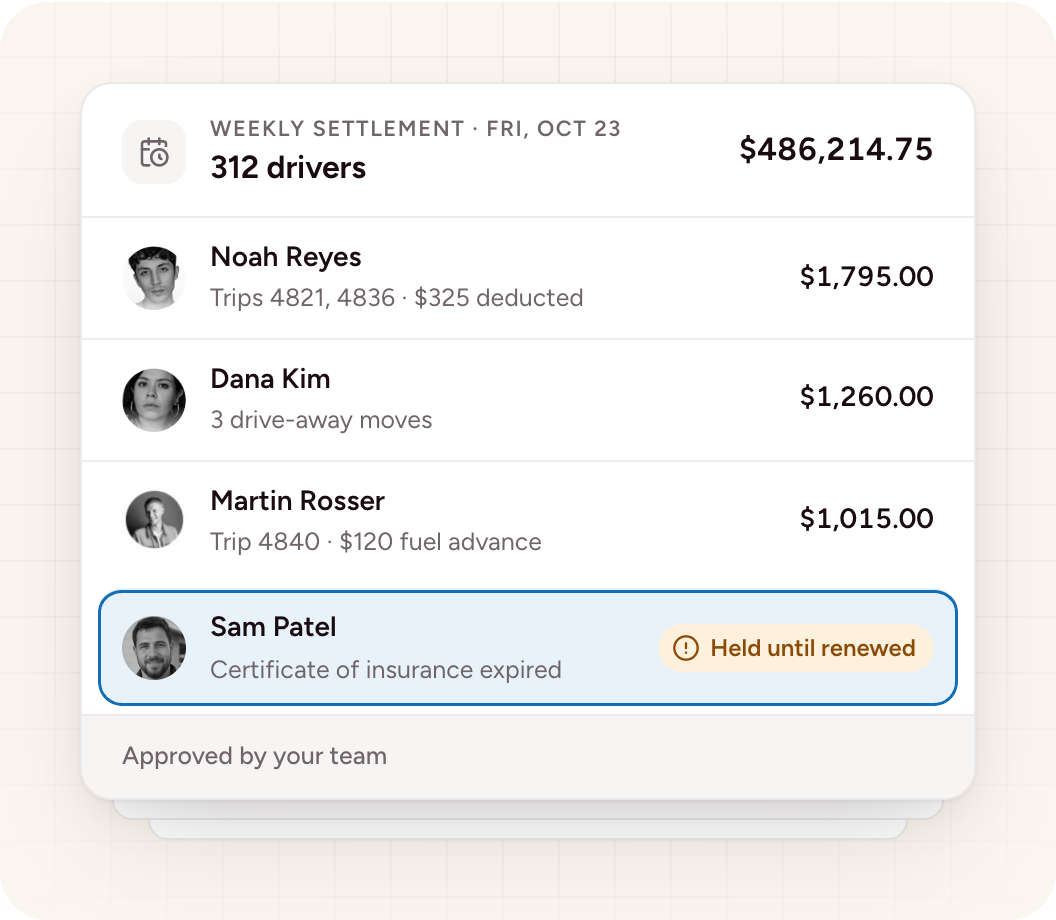
Keep your settlement process. Bring approved trips into Wingspan by file import, integration, or API. Wingspan pays each trip’s approved amount and applies the deductions you send. Your team controls who can release funds.
Drivers see each trip, its approved amount, every deduction, and the final total, then choose standard ACH, Wingspan Wallet, or an instant payout. Payment data moves to your accounting system through supported integrations, and that system stays your record.
Drivers with questions about a payment, a deduction, or their 1099 contact Wingspan support instead of your dispatch or payroll team. Rate disputes and other questions about the work come back to your team with the driver’s record and conversation attached.
Catch TIN mismatches up front and file 1099s at year-end
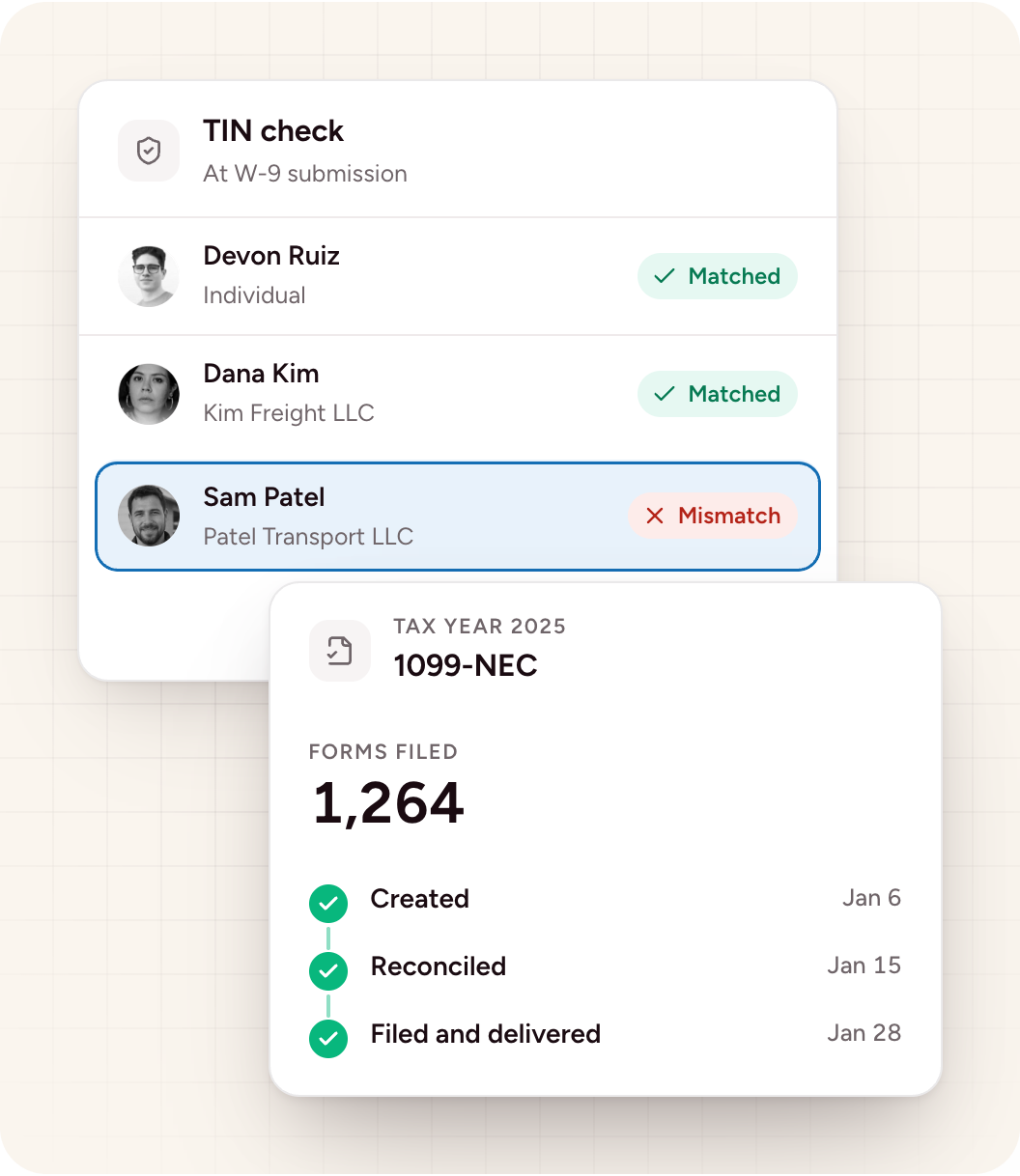
Wingspan checks each driver’s TIN with the IRS when they submit their W-9 and flags mismatches before the first payment. The driver fixes a bad name and TIN combination once, up front, instead of in January when corrections cost time and penalties.
At year-end, Wingspan creates, reconciles, files, and delivers 1099s. Drivers review their tax documents in their portal and request corrections there. After filing, your team approves each correction. If an owner-operator forms an LLC partway through the year, they submit an updated W-9.
Keep every driver’s credentials current
A DOT medical card that lapsed last week or an insurance certificate with the wrong limits becomes a liability once the driver is on the road. Wingspan tracks each driver’s documents on the renewal schedule you set and flags them 30 days before each renewal date. For certificates of insurance, Wingspan reads the policy dates, flags coverage expiring within 30 days, and reminds the driver.
Wayfinder AI reviews supported documents at submission, checks insurance coverage and limits, and flags anything missing or mismatched. Your team reviews anything Wayfinder flags and can add a human check to any requirement.
Add your own document requirements, such as MVRs, permits, and IFTA and IRP credentials for owner-operators who run under their own authority. Run background checks from the same driver record, and add drug testing as a support add-on.

Wingspan streamlines the collection and storing of onboarding information and it’s directly integrated into our driver app so that drivers can manage their address, bank account information, and their invoices all in one place.